What is a Digital Planner PDF?
Digital Planner PDFs are downloadable, interactive planning systems designed for use on tablets and devices. They replicate traditional planners, offering organization and scheduling capabilities.
These planners, often featuring hyperlinks, allow seamless navigation between dates, months, and sections, enhancing the planning experience for users.
Definition and Core Functionality
A Digital Planner PDF is essentially a portable document format file meticulously crafted to mimic the functionality of a physical planner, but within a digital environment.
Its core functionality revolves around providing a structured space for organizing schedules, tasks, and goals.
Unlike static PDFs, these planners are often hyperlinked, enabling effortless navigation between different sections – daily, weekly, monthly views – and specific dates.
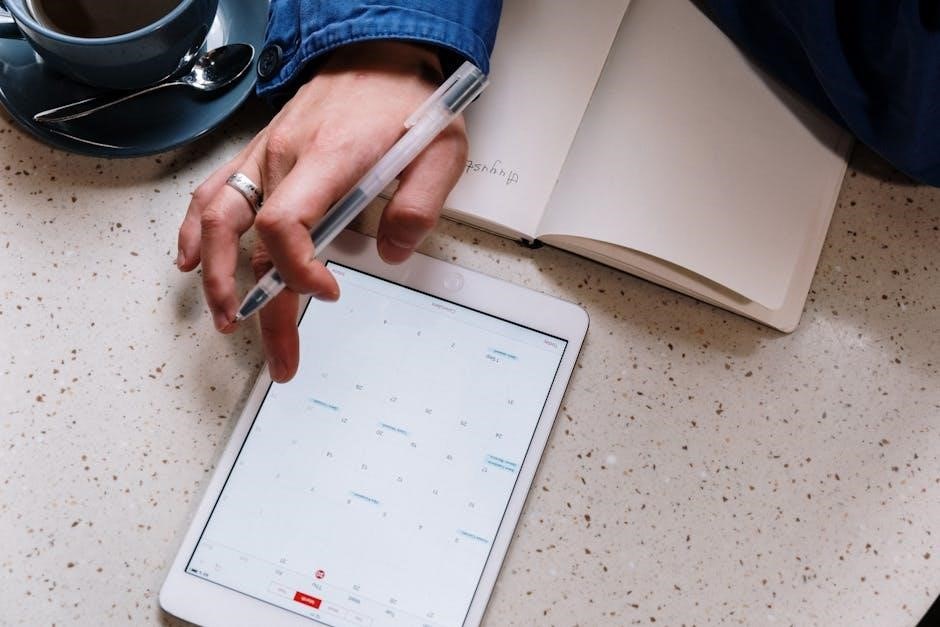
Key features include dedicated spaces for daily priorities, gratitude journaling, and comprehensive checklists.
Weekly spreads often incorporate habit trackers, while monthly calendars facilitate time blocking.
These planners empower users to digitally “write” and annotate using stylus pens on compatible tablets, offering a personalized and efficient planning experience.
Benefits of Using a Digital Planner PDF
Digital Planner PDFs offer a compelling alternative to traditional paper planners, boasting numerous advantages. Portability is key – carry your entire planning system on a tablet! They are also incredibly cost-effective, often a one-time purchase versus recurring paper planner costs.
Beyond convenience, digital planners promote environmental sustainability by reducing paper consumption. Customization is another significant benefit; easily add stickers, images, and personalize with various pen colors.
The hyperlinked nature streamlines navigation, saving valuable time. Plus, features like habit trackers and goal-setting sections foster increased productivity and organization, helping users stay focused and achieve their objectives.
Choosing the Right Digital Planner PDF
Selecting a digital planner involves considering your needs – free versus paid options, preferred layout styles, and whether hyperlinks are essential for easy navigation.
Free vs. Paid Options
Free digital planner PDFs offer a fantastic starting point for those exploring the digital planning world, providing basic functionality without financial commitment. Resources like World of Printables provide over 40 free 2025 templates, perfect for testing the waters and discovering if this method suits your organizational style.
However, paid options generally unlock more sophisticated features. These often include hyperlinked pages for effortless navigation, more extensive layouts, and specialized sections like detailed habit trackers or goal-setting worksheets. Paid planners frequently boast aesthetic designs and a higher level of customization.
Ultimately, the best choice depends on individual needs and preferences. A free planner is ideal for simple organization, while a paid version caters to those seeking a comprehensive and visually appealing planning experience.
Planner Layout Styles (Daily, Weekly, Monthly)
Digital planner PDFs cater to diverse planning preferences through various layout styles. Daily layouts provide granular detail, featuring sections for gratitude, priorities, checklists, and notes – ideal for meticulous scheduling and task management. These layouts allow for focused daily planning and reflection.
Weekly spreads offer a broader overview, often incorporating habit trackers and goal-setting spaces. They’re perfect for balancing daily tasks with long-term objectives. Monthly calendar views, complete with time blocking capabilities, provide a high-level perspective, enabling efficient scheduling and appointment management.
Choosing the right style depends on your organizational approach. Some planners combine all three, offering flexibility and a comprehensive planning system.
Hyperlinked vs. Non-Hyperlinked Planners
Digital planner PDFs come in two main types: hyperlinked and non-hyperlinked. Hyperlinked planners are designed for seamless navigation within the document. Clickable links connect different sections – monthly, weekly, and daily views – allowing quick access to specific dates or templates. This feature significantly enhances the digital planning experience, mimicking the ease of flipping through a physical planner.

Non-hyperlinked planners, while still functional, require manual navigation. Users must scroll or use the app’s search function to find specific pages. These are often simpler in design and may be preferred by those who don’t require rapid navigation.
Many free options are non-hyperlinked, while paid versions frequently include this convenient feature.

Popular Digital Planner PDF Features
Digital planners commonly include daily gratitude sections, priority checklists, weekly habit trackers, monthly calendar views with time blocking, and dedicated goal-setting spaces.
Daily Planning Sections (Gratitude, Priorities, Checklists)
Daily sections within a digital planner PDF are designed to foster mindful productivity and positive reflection. A dedicated gratitude prompt encourages users to begin their day focusing on appreciation, promoting a positive mindset.
Priorities sections help pinpoint the most important tasks, ensuring focused effort. Integrated checklists provide a clear, visual way to track progress and accomplish daily goals.
Many templates also include space to identify potential roadblocks and jot down important notes. Furthermore, some offer trackers to monitor habits or specific tasks throughout the day, contributing to a well-rounded and effective daily planning experience.
These features work together to create a holistic approach to daily organization.
Weekly Spread Designs & Habit Trackers
Weekly spreads in digital planner PDFs offer a broader overview of commitments and tasks. These designs vary greatly, ranging from minimalist layouts to more detailed, visually engaging formats. They typically include sections for appointments, to-do lists, and notes for each day of the week.
A key feature is the integration of habit trackers. These allow users to monitor progress on recurring habits – like exercise, hydration, or reading – providing a visual representation of consistency.
Goal planning is often incorporated, enabling users to break down larger objectives into smaller, weekly steps. This combination of scheduling and habit tracking fosters a proactive approach to achieving both short-term and long-term goals.
Effective weekly planning is crucial for sustained productivity.
Monthly Calendar Views with Time Blocking
Monthly calendar views within digital planner PDFs provide a bird’s-eye perspective of the entire month, showcasing important dates and deadlines at a glance. These layouts often feature a traditional grid format, clearly displaying each day of the month.
A powerful technique integrated into these views is time blocking. This involves scheduling specific blocks of time for dedicated tasks or activities, promoting focused work and efficient time management. Blocks can range from 8:00 am to 7:00 pm, as seen in some templates.
Color-coding is frequently used to categorize different types of appointments or commitments, enhancing visual clarity. This allows for quick identification of priorities and prevents overbooking.
Monthly views with time blocking are essential for strategic planning.
Goal Setting & Review Sections
Digital planner PDFs frequently incorporate dedicated sections for goal setting, encouraging users to define both short-term and long-term objectives. These areas often prompt reflection on aspirations and the creation of actionable steps to achieve them.
Equally important are review sections, designed for periodic assessment of progress. These spaces allow users to analyze what’s working, identify challenges, and adjust strategies accordingly. Regular reviews foster accountability and continuous improvement.
Some planners include prompts for gratitude, helping users maintain a positive mindset while pursuing their goals.
These sections are vital for turning aspirations into reality, promoting self-awareness and sustained motivation throughout the year.
Software Compatibility & Usage

Digital Planner PDFs work best with apps like GoodNotes and Notability, enabling annotation and interactivity. PDF annotation tools and digital pens enhance the user experience.
GoodNotes Planner Functionality
GoodNotes is a popular application specifically well-suited for utilizing Digital Planner PDFs. Its robust features allow for a seamless and intuitive planning experience. The app excels at recognizing handwriting, converting it to text for easy editing and searching within your planner.
A key benefit is the ability to import and organize multiple planners within GoodNotes, creating a centralized hub for all your planning needs. Hyperlinked planners truly shine here, as GoodNotes effortlessly navigates between sections with a simple tap. Users can customize their experience with various digital stickers and utilize a wide range of pen colors and styles.
Furthermore, GoodNotes supports PDF annotation, allowing you to write directly onto the planner pages, highlight important tasks, and add notes. The app’s organizational tools, like folders and collections, help keep your digital planning system tidy and accessible.
Notability App Integration
Notability provides another excellent platform for leveraging the benefits of Digital Planner PDFs, offering a slightly different approach to digital planning. Like GoodNotes, Notability excels at handwriting recognition and PDF annotation, allowing users to seamlessly write, highlight, and add notes directly onto planner pages.
The app’s audio recording feature is particularly useful for pairing notes with lectures or meetings, enhancing organization and recall. Notability’s intuitive interface facilitates easy import and organization of multiple planners, though its hyperlink navigation might differ slightly from GoodNotes.
Users can personalize their planning experience with diverse pen styles and colors, and easily incorporate digital stickers. Notability’s focus on note-taking alongside planning makes it a versatile choice for students and professionals alike, effectively managing schedules and information in one place.
PDF Annotation Tools & Pens
Digital Planner PDFs truly come alive through the use of robust PDF annotation tools and digital pens. Apps like GoodNotes and Notability offer a wide array of options, simulating the experience of writing on paper. Users can select from various pen styles – ballpoint, fountain pen, brush pen – and customize colors to suit their preferences.
Highlighting tools are essential for emphasizing important tasks or dates, while shape tools allow for visual organization and note-taking. Erasers and selection tools provide precision editing capabilities. These features transform a static PDF into a dynamic, interactive planning system.
The ability to adjust pen pressure and thickness further enhances the natural writing feel, making digital planning a comfortable and personalized experience. Experimenting with different tools unlocks the full potential of your digital planner.
Customization & Personalization
Digital Planners allow for unique expression! Users can enhance their layouts with stickers, images, varied pen colors, and imported templates for a personalized touch.
Adding Stickers & Images
Stickers and images dramatically enhance the visual appeal and personalization of your Digital Planner PDF. They transform a functional tool into a creative outlet, allowing you to express your style and add a touch of fun to your planning process.
Many websites, like World of Printables, offer free digital stickers specifically designed for planners. These can range from cute and aesthetic designs to functional icons representing tasks or events. Importing these stickers is typically straightforward within apps like GoodNotes or Notability.
You can also import your own images – photos, illustrations, or downloaded graphics – to further customize your planner; This allows for truly unique layouts and the incorporation of personal memories or motivational visuals. Experiment with different sizes and placements to create a planner that truly reflects your personality!
Using Different Pen Colors & Styles
Pen customization is a core feature of Digital Planner PDFs, offering a level of personalization unavailable with traditional paper planners. Apps like GoodNotes and Notability provide a wide array of pen colors, thicknesses, and styles – from ballpoint and fineliner to brush pens and highlighters.
Utilizing different colors can help categorize information, prioritize tasks, or simply add visual interest. For example, you might use blue for appointments, green for completed tasks, and red for urgent reminders. Experimenting with various pen styles allows you to create unique headings, underlines, and decorative elements.
This flexibility transforms your planner into a dynamic and visually engaging space, making planning more enjoyable and effective. Don’t be afraid to explore the available options and find a pen setup that suits your individual preferences!
Importing & Utilizing Templates
Digital Planner PDFs often support importing additional templates to expand functionality. Many websites, like World of Printables, offer free and paid templates – including habit trackers, goal setting worksheets, and specialized layouts – designed to complement your core planner.
Importing is typically straightforward: download the template PDF and open it within your chosen planning app (GoodNotes, Notability, etc.). You can then insert pages into your existing planner or create a separate, themed section.
Utilizing templates streamlines planning by providing pre-designed structures for specific needs. This saves time and ensures consistency. Explore various options to find templates that align with your goals and enhance your organizational system, making your digital planner even more powerful.

Finding & Downloading Digital Planner PDFs
Digital Planner PDFs are readily available online, with resources like World of Printables offering numerous free 2025 templates and aesthetic designs for download.
World of Printables & Similar Resources
World of Printables stands out as a premier destination for accessing a vast library of free digital planner templates. Beyond planners, they offer a diverse collection of stickers, paper templates, and other organizational resources, all available for complimentary download.
Specifically, users can find over 40 printable templates designed to meticulously organize plans for the upcoming year, 2025. The site features designs crafted by creators like Anja Home, known for their minimal and aesthetically pleasing layouts.
While World of Printables is a strong starting point, exploring other online marketplaces and creator websites can uncover additional options. Platforms like Etsy often host independent designers selling unique and specialized digital planners, catering to various tastes and planning styles.
Remember to check licensing terms before using any downloaded resources.
Free 2025 Planner Templates
Numerous sources offer free digital planner templates for 2025, allowing users to get organized without financial investment. World of Printables provides a substantial collection – exceeding 40 printables – specifically designed for the upcoming year, enabling comprehensive planning;
These free templates often include essential planning components like monthly calendar views, weekly spreads, and daily planning pages. A standout offering is a minimal digital planner designed by Anja Home, optimized for use with apps like GoodNotes.
These free options are typically PDF format, loaded with clickable hyperlinks for easy navigation. They provide a fantastic starting point for beginners or those seeking a cost-effective planning solution. Don’t hesitate to explore and find a style that suits your needs!
Download and start planning today!
Where to Find Aesthetic & Cute Designs
For visually appealing digital planners, several online resources cater to those seeking aesthetic and cute designs. World of Printables is a prime destination, offering a variety of styles beyond basic functionality. Many independent designers also create and sell beautiful planner templates on platforms like Etsy.
Look for planners featuring delicate color palettes, floral illustrations, or minimalist layouts. The Anja Home-designed free 2025 planner exemplifies this trend, offering a clean and attractive aesthetic.
Social media platforms like Pinterest and Instagram are excellent sources of inspiration, showcasing diverse planner styles and linking to creator websites. Explore hashtags like #digitalplanner and #goodnotesplanner to discover new designs and find your perfect match!
Happy planning with style!
Troubleshooting Common Issues
Common problems with digital planners include PDF compatibility, non-functioning hyperlinks, and import errors. Ensure your app is updated and the PDF isn’t corrupted.
PDF Not Working in App
Experiencing issues opening or using your digital planner PDF within an app like GoodNotes or Notability? Several factors could be at play. First, verify the app is fully updated to the latest version, as compatibility issues are frequently resolved through updates.
Next, ensure the PDF file itself isn’t corrupted. Try re-downloading the planner from the original source. If the problem persists, check if your app supports the PDF version; some older apps may struggle with newer PDF standards.
Finally, clearing the app’s cache can sometimes resolve loading problems; If none of these steps work, consider trying a different PDF reader app to isolate whether the issue lies with the planner or the specific application.
Hyperlinks Not Functioning
Frustrated with unresponsive hyperlinks in your digital planner PDF? This is a common issue, often easily resolved. First, confirm you’re tapping the link directly – a long press might not activate it. Ensure your annotation app fully supports interactive PDF features; some basic readers won’t recognize hyperlinks.
If using GoodNotes or Notability, check your app settings to ensure hyperlinks are enabled. Occasionally, a PDF export error can corrupt the links. Try re-downloading the planner from the original source, like World of Printables, to obtain a fresh copy.
As a last resort, try opening the PDF in a different app to see if the hyperlinks function correctly, helping pinpoint whether the problem is app-specific.
Importing Issues & Solutions
Experiencing trouble importing your new digital planner PDF? Several factors can cause this. First, verify the file format is genuinely PDF; sometimes, files are mislabeled. Ensure your chosen app – GoodNotes, Notability, or others – has sufficient storage space available. Large, detailed planners can require significant memory.
If the import fails, try restarting your device. A simple reboot often clears temporary glitches. Alternatively, import the PDF through a different method, such as via email or cloud storage (Dropbox, Google Drive).
For persistent issues, check if your app requires a specific PDF version. World of Printables provides compatible templates, but older apps might struggle with newer formats.